Examples gallery
Tutorials
- Main tutorial on Hugging Face — interactive, runs in the browser
- Tutorial in a Colab notebook
- Quickstart as a Colab notebook (ipywidgets backend)
- Speech exploration notebook — signal processing in a notebook
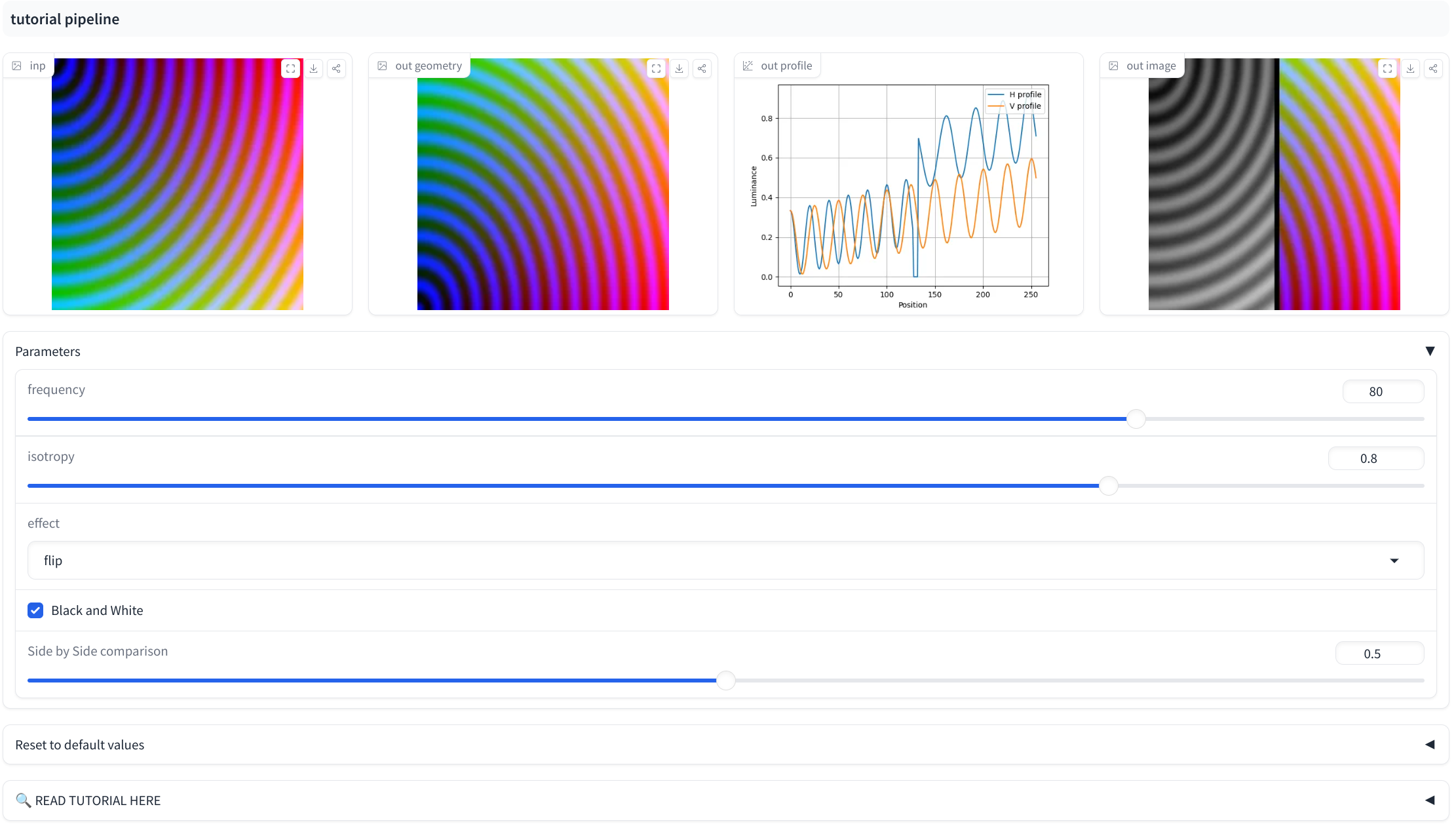
Showcase
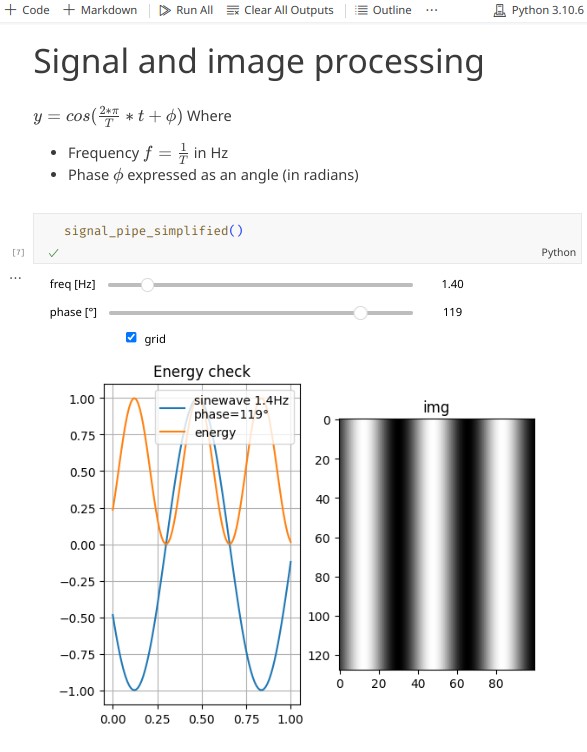
| Science notebook | Toddler DIY jukebox on a Raspberry Pi |
|---|---|
 |
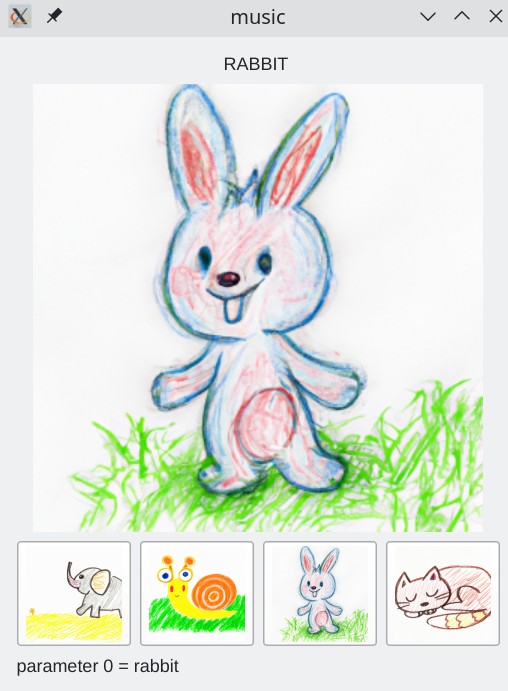 |
| Sliders appear automatically in a Jupyter notebook — works on Google Colab, ~40 lines of code. | Plays music when a toddler touches an icon; image buttons + audio on Qt. |
| Demo notebook on Colab | jukebox_demo.py |
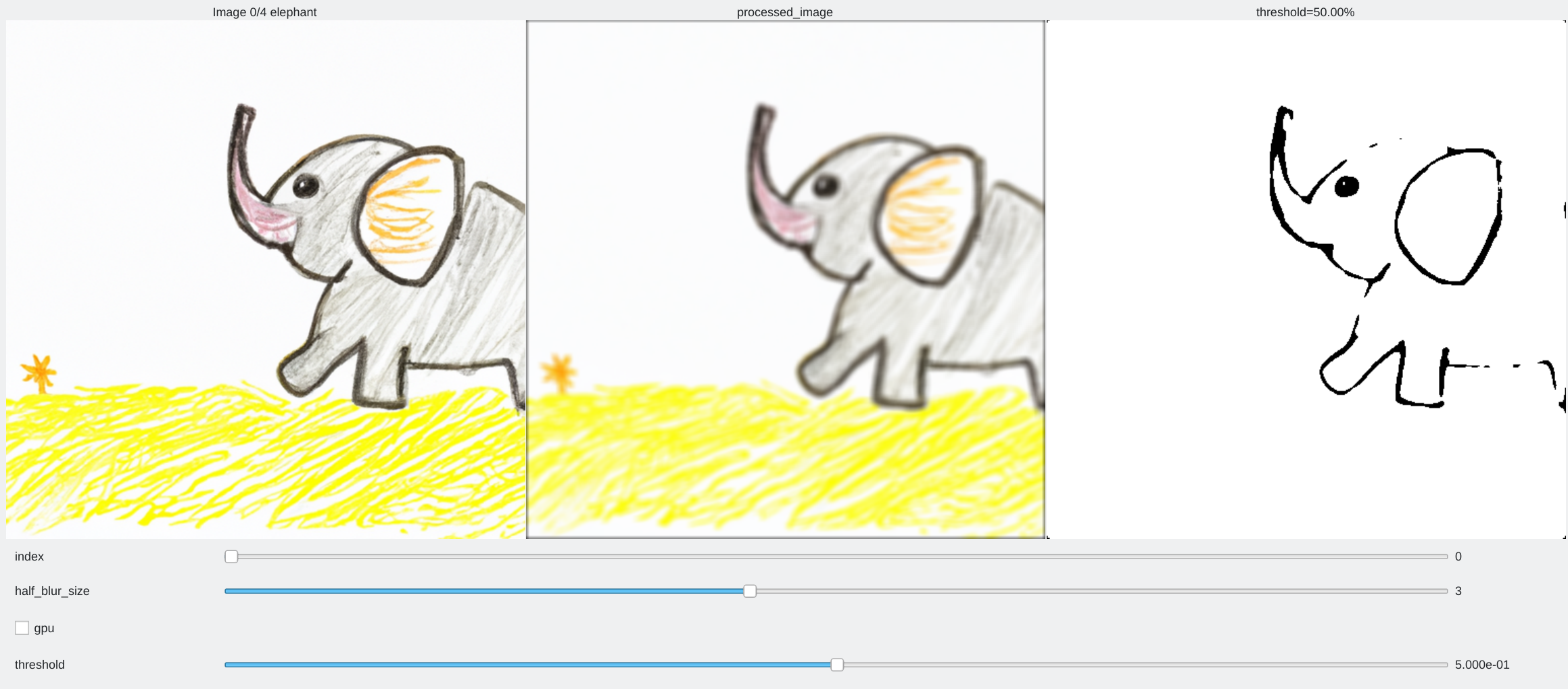
Multi-image pipeline
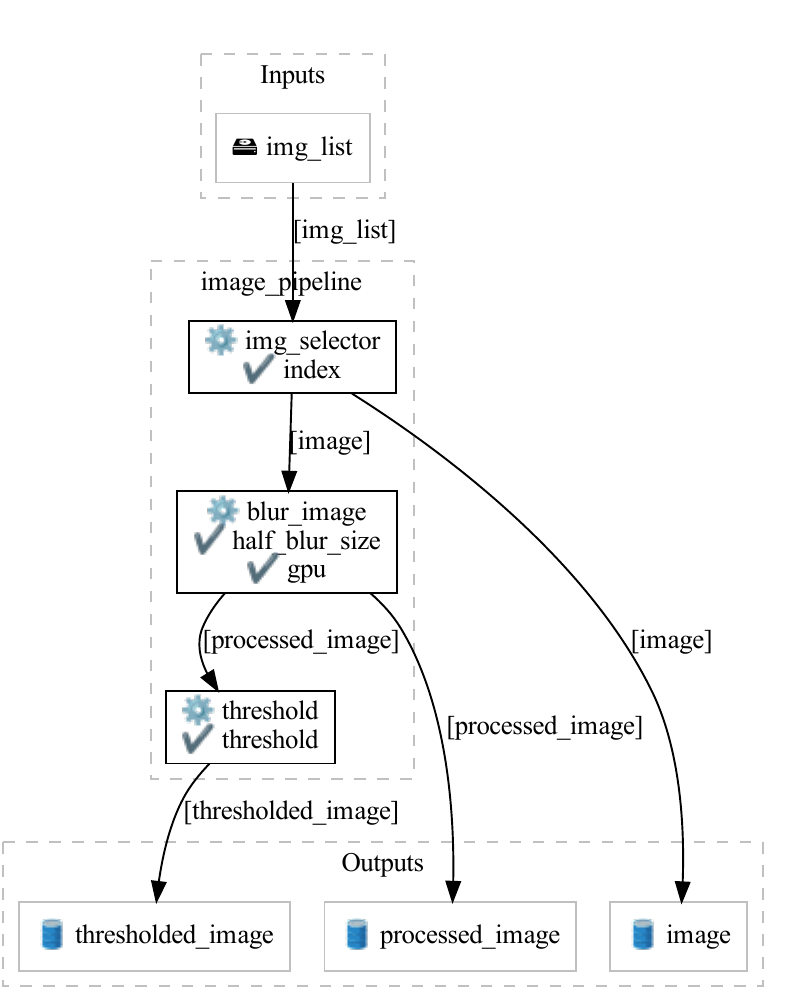
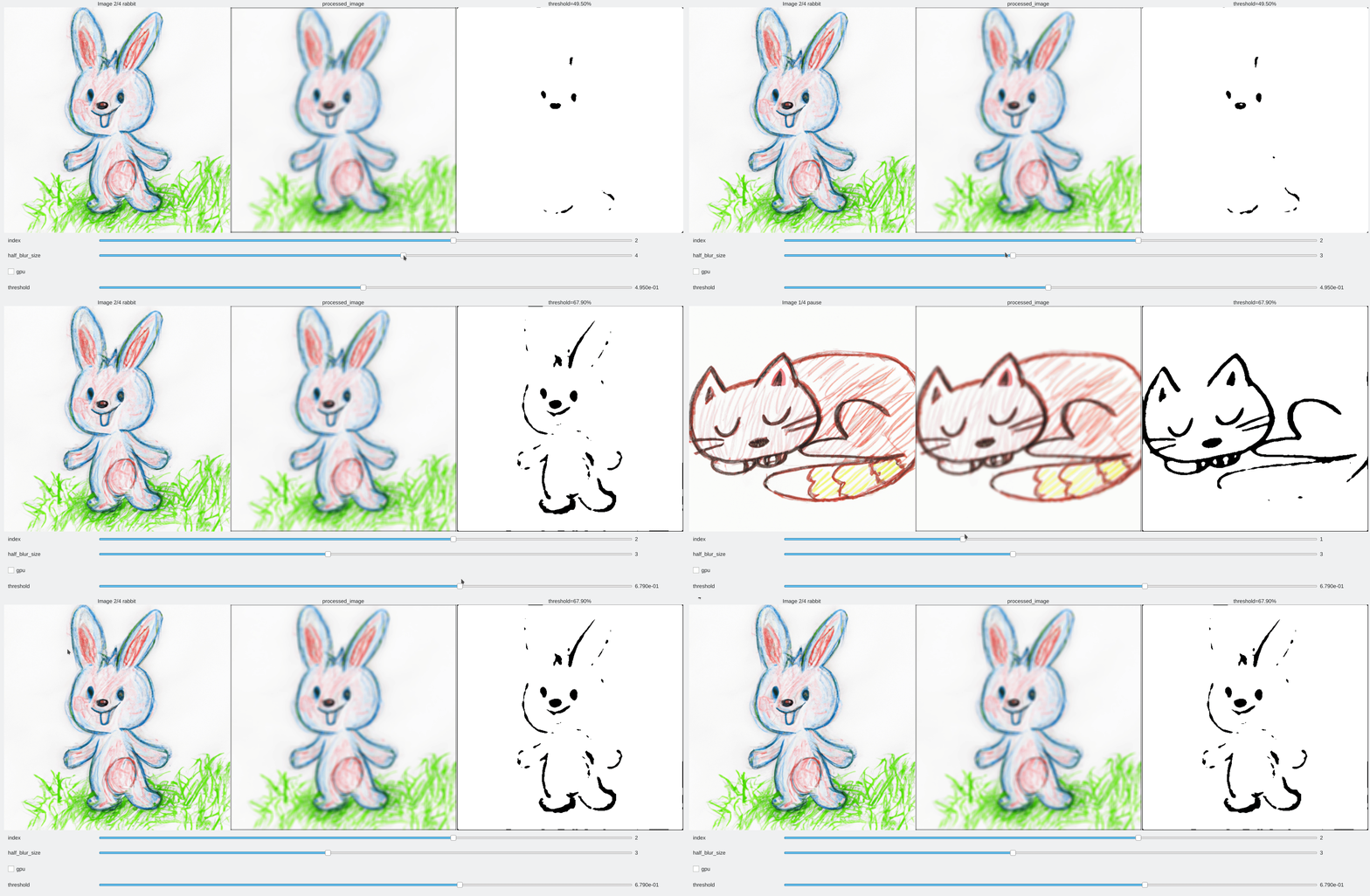
The main demo: demo/multi_image.py
| GUI | Pipeline graph |
|---|---|
 |
 |
Demo scripts
All in demo/:
| Script | Shows |
|---|---|
multi_image.py (+ .ipynb) |
The main tutorial pipeline: selection, exposure, blending |
widgets_showcase.py |
Every widget type in one app |
button_demo.py |
Image buttons |
color_demo.py |
Dropdown-driven color generation |
colored_checkerboard_rotation_demo.py |
CircularControl rotation |
panel_demo.py / grouped_controls_demo.py |
Panel system |
panel_position_demo.py / detached_panel_demo.py |
Panel placement and detached windows |
key_event_demo.py |
Key-bound one-shot events |
time_wave_demo.py / time_physics_demo.py |
TimeControl animations |
image_editing_demo.py / image_analysis_demo.py |
Realistic image workflows |
independent_curve_image_demo.py |
Mixing Curve plots and images |
table_demo.py |
Table outputs |
jukebox_demo.py |
Raspberry Pi jukebox (audio + image buttons) |
Curated samples
The samples/ folder walks through the declaration styles:
decorated_pipeline.py— decorator syntax with explicitControlobjectsdecorated_pipeline_abbreviated.py— the abbreviated tuple declarationsobject_oriented_pipeline_declarations.py— pipeline graph built by hand, no decoratorsinteract_sample/— a small filter library +@interactone-shot GUI + its pytest suite